GoLive
FlashPass AIO's GoLive bot logs into a ticketing account, finds seats matching your criteria, and checks out automatically.
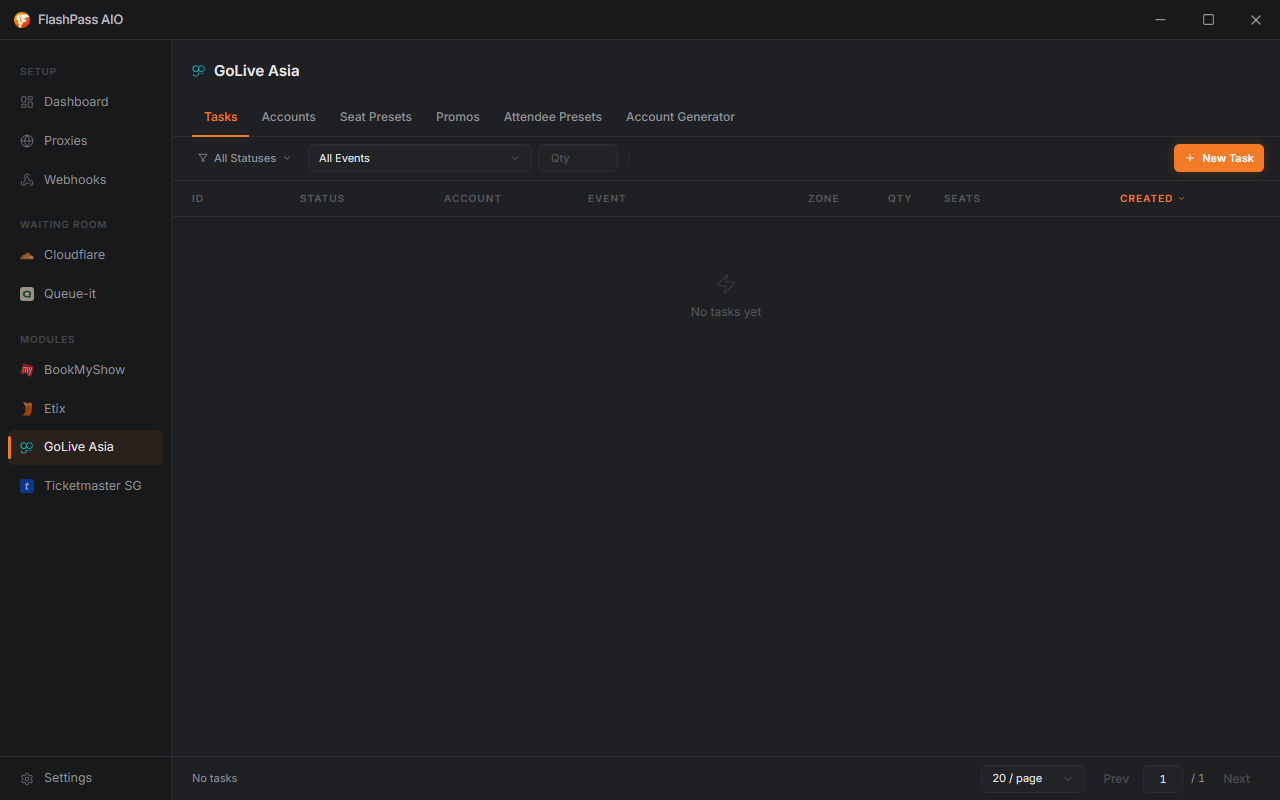
GoLive manages its own resources — accounts, attendee presets, and promo codes — from buttons on the GoLive page, plus a settings gear to override the Capsolver key, Default Proxy URL, and Max Concurrency for GoLive tasks only.
Before you start
- An Account Group with at least one logged-in account — set one up from the Account Group manager on the GoLive page.
- A Proxy Group (optional, falls back to Default Proxy URL).
- A Capsolver API Key — in global Settings, or the GoLive gear — needed if the event throws a captcha/Cloudflare challenge.
Creating a task
Open GoLive from the sidebar → Create Task.
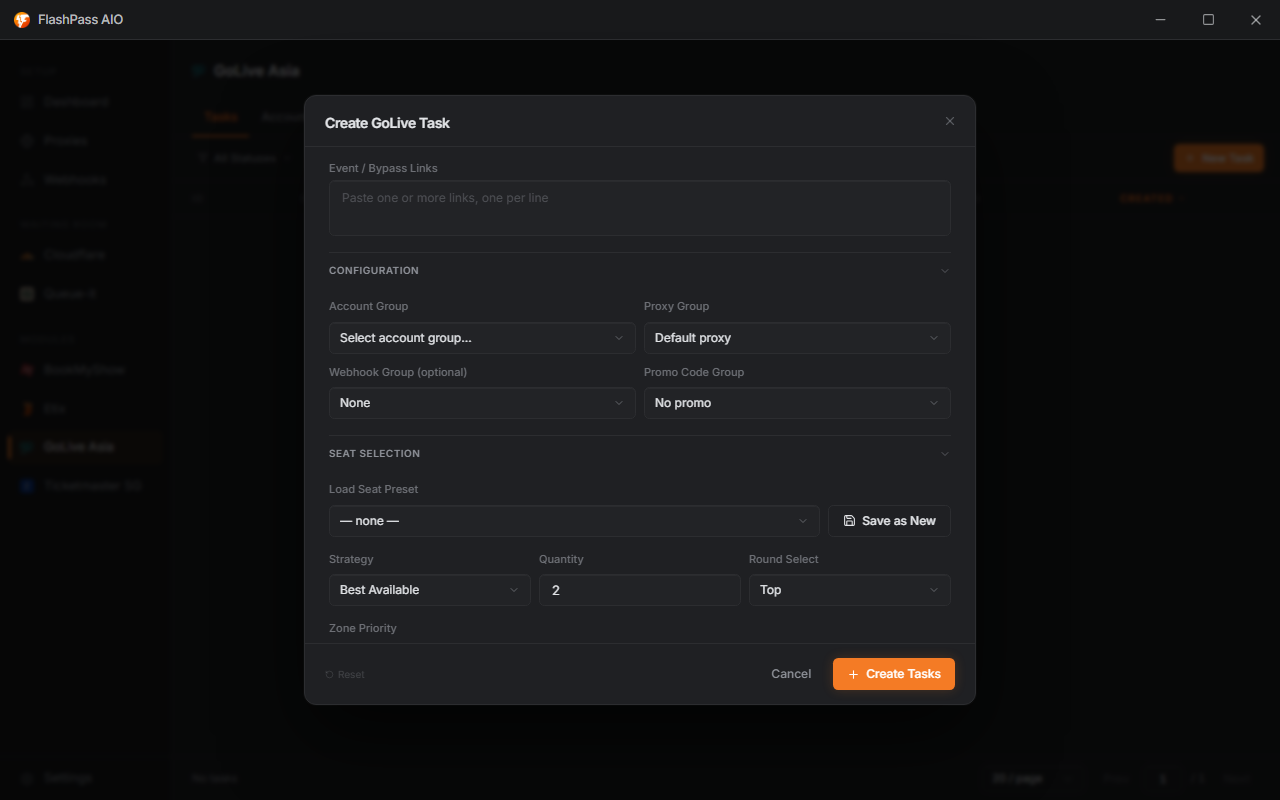
Event / Bypass Links (required)
Paste one or more event links, one per line. Multiple links queue as separate attempts within the same task.
Configuration
| Field | Notes |
|---|---|
| Proxy Group | Falls back to Default Proxy URL if left on default. |
| Webhook Group (optional) | Delivers a Discord notification per finished task. Set groups up on the Webhook Groups page. |
Captcha is solved automatically with your Capsolver key when the event needs it — there's no per-task captcha mode to pick.
Account Group (required)
Pick which Account Group to log in with. Manage groups from the Accounts button on the GoLive page — import a CSV of email:password:proxy (one per line; the proxy field is optional). The dropdown shows how many accounts in the group are currently logged in (2/5 logged in) — make sure at least one is.

Queue Race Count
Only used when the event link is a Queue-It gatekeeper link (a high-demand event that puts you in queue before the ticketing account can even see it). FlashPass logs in once, then runs this many attempts at the queue at the same time and keeps whichever gets through first — because your place in the Queue-It line depends on when you join, not which account you use, so one login can feed many racers at once. Requires the GoLive toggle under Settings → Captcha → Inline Queue-It Solving to be on; otherwise a queued link just fails the task. Defaults to 1 (no racing). Raising it improves your odds of an early queue position at the cost of more concurrent load per account.
Seat Selection
| Field | Options | Notes |
|---|---|---|
| Promo Code Group | saved group, or No promo | Codes are tried at checkout. Manage groups from the promo button on the GoLive page. |
| Load Preset | saved preset | Loads a full saved field combination. Click Update to overwrite it, or name + save a new one from your current fields. |
| Strategy | Best Available, Consecutive, Same Row, Explicit | Explicit switches to a manual seat picker (Explicit Seats) instead of quantity/zone rules. |
| Quantity | 1–99 | Disabled when Strategy = Explicit. |
| Round Select | Top, Bottom, Random | For events with multiple ticket rounds/sessions, which one to pick. |
When Strategy is not Explicit, these filters apply — type them in directly each run (there are no more saved "Ticket Info" presets):
| Field | Notes |
|---|---|
| Zone Priority | Tag list — order zones by preference (e.g. type Floor, Enter, VIP, Enter). |
| Price Tier | Free-text price keyword match, e.g. 498. |
| Date Keyword | YYYYMMDD or a label match for multi-date events. |
| Max Price | Hard ceiling — won't checkout above this. |
| Row Limit | Won't pick rows beyond this number. |
Attendee
Checkout identity fields: First Name, Last Name, Email, Phone, Country Code, Calling Code, ID / NRIC, Address. No card/payment fields — payment is handled on the ticketing platform's own checkout.
Rather than retyping these every run, save them as an Attendee Preset (the Attendee manager on the GoLive page) and pick it with Load Attendee Preset to fill the fields in one click.
Options
| Field | Notes |
|---|---|
| Company ID | Optional, platform-specific identifier some venues require. |
| Dry Run | Yes runs the full flow but stops short of finalizing payment — use to test a config safely before going live. |
Running the task
Click Create — the task joins the list. See Creating a Task for statuses, logs, and filtering.
Common issues
| Symptom | Cause / Fix |
|---|---|
| Task fails at login | Account in the group isn't logged in — open the Account Group manager and log it in. |
| No seats found | Zone Priority/Price Tier/Date Keyword too narrow, or Max Price too low — widen filters. |
| Checkout fails at buyer details | The Attendee fields (or loaded preset) are missing name/email/phone — fill them in. |
| Captcha never resolves | Capsolver key missing/invalid — check it in global Settings → Captcha or the GoLive settings gear. |
| Task fails with "still in Queue-it" | The event's link is a Queue-It gatekeeper link — turn on the GoLive toggle under Settings → Captcha → Inline Queue-It Solving, and consider raising Queue Race Count. |