Ticketmaster SG
FlashPass AIO's Ticketmaster SG bot handles ticket checkout/queueing for Ticketmaster SG events, with two account modes depending on how far into the flow you want it to drive.
Before you start
- Either: an Account Group with stored credentials (managed from the Accounts button on the Ticketmaster SG page), or a manual login/cookie to enter inline.
- A Proxy Group (optional, falls back to Default Proxy URL).
- A Webhook Group (optional) for Discord notifications on finished tasks.
- For Auto mode: an app-password mailbox (IMAP) so the bot can read the login OTP itself — see Account.
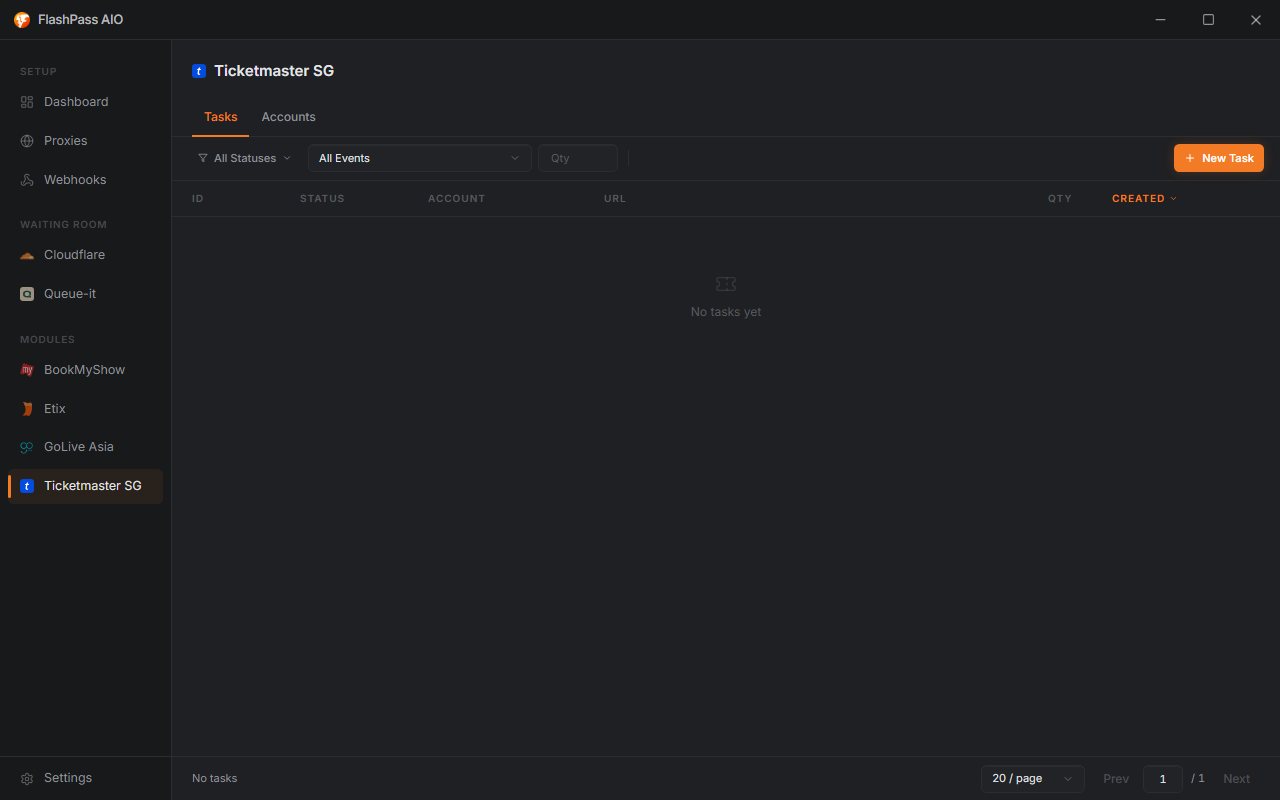
Creating a task
Open Ticketmaster SG from the sidebar → New Task.
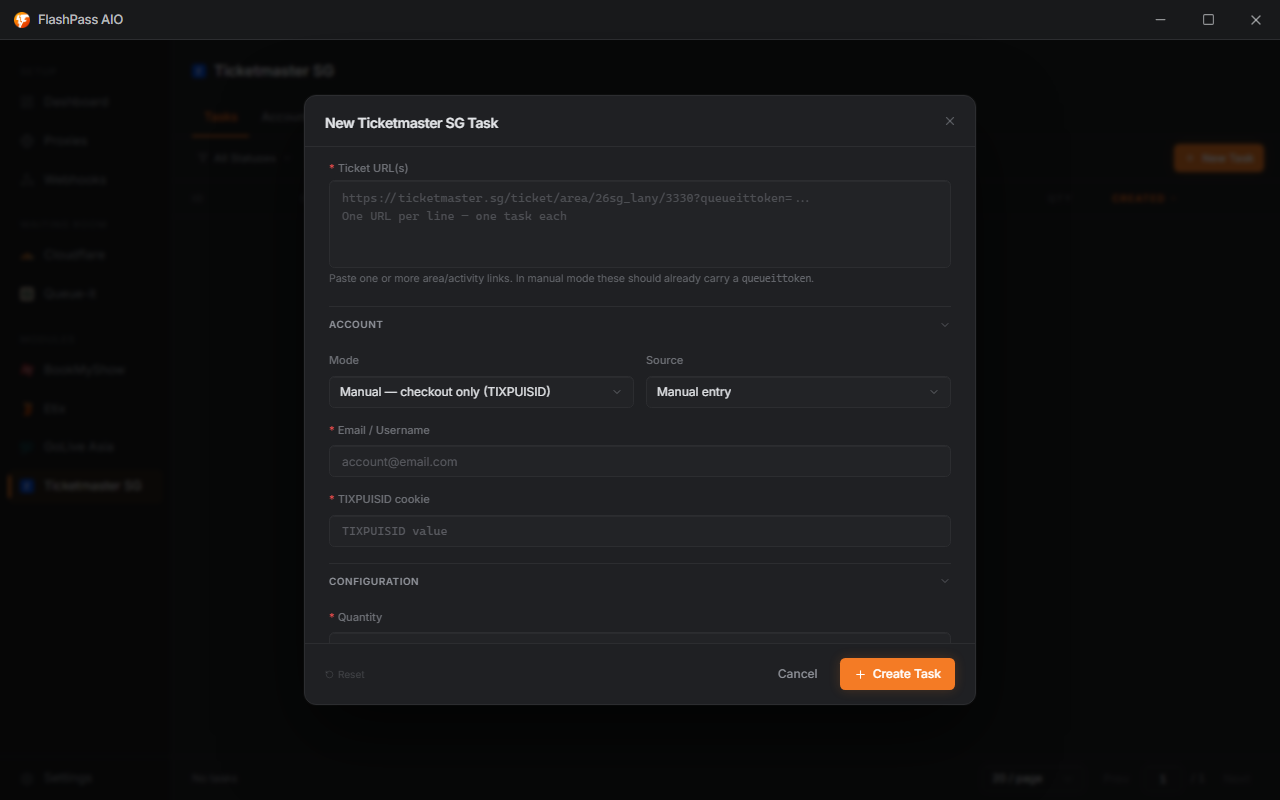
Ticket URL(s) (required)
Paste one or more Ticketmaster SG area/activity links, one per line — one task is created per URL.
In Manual mode, your links must already include the queue-pass code (
queueittoken) — meaning you've already gotten through the queue yourself in a browser. In Auto mode, the bot waits out the queue for you, so a plain area link is enough.
Account
| Field | Options | Notes |
|---|---|---|
| Mode | Manual — checkout only (TIXPUISID), Auto — full login → queue | Manual reuses a login cookie you already have (TIXPUISID, from logging in / passing the queue elsewhere) and just does the checkout. Auto does everything for you — login, queue, and checkout — using your password. |
| Source | Manual entry, From account group | Manual entry: type credentials directly into this task. From account group: rotates one stored account per task. |
If Source = From account group: pick an Account Group (required) — one stored account is rotated into each task. Manual mode uses the account's saved TIXPUISID; auto mode uses its saved password. Manage groups from the Accounts button on the Ticketmaster SG page.
If Source = Manual entry: fill in Email / Username (required) and either the TIXPUISID cookie or Account password (required, label changes based on Mode).
Auto mode — email OTP: Ticketmaster emails a one-time code at login. Give the bot an IMAP Email and IMAP App Password (a mailbox app-password, not your normal password) and it reads the code straight from the inbox. Leave IMAP Email blank to reuse the account's own email address.

Configuration
| Field | Notes |
|---|---|
| Quantity (required, 1–10) | How many tickets to grab. |
| Section Keyword | e.g. CAT 1 — blank matches any section. |
| Date Keyword | e.g. 2026-03 — blank matches any date. |
| Proxy Group | Falls back to Default Proxy URL if left default. |
| Webhook Group (optional) | Discord notification on finished tasks. |
Running the task
Click Create Task — one task per URL joins the list. See Creating a Task for statuses, logs, and filtering.
Common issues
| Symptom | Cause / Fix |
|---|---|
| Task fails immediately in Manual mode | TIXPUISID cookie expired, or the URL's queueittoken is stale — grab a fresh cookie/URL by logging in and passing the queue again in a browser. |
| Task fails immediately in Auto mode | Account password wrong, or account locked/flagged — verify by logging in manually first. |
| Account group error "no accounts" | Group is empty — open the Accounts manager on the Ticketmaster SG page and add accounts first. |
| Auto mode never gets past the OTP step | IMAP Email/App Password wrong, or the mailbox isn't the one receiving Ticketmaster's code — verify the app-password and that mail lands in that inbox. |
| No matching section/date found | Section/Date Keyword too specific — loosen or clear it. |